Offlinguo
Offlinguo

Offline travel guide

Pack your words. Then go.

A new city is full of little conversations. Asking which platform. Finding your hotel. Saying thank you. Get Offlinguo ready at home, and take those words with you when Wi-Fi is out of reach.

Typed translation is free after setup. Camera, voice and Assistant are included in Premium.

Explore
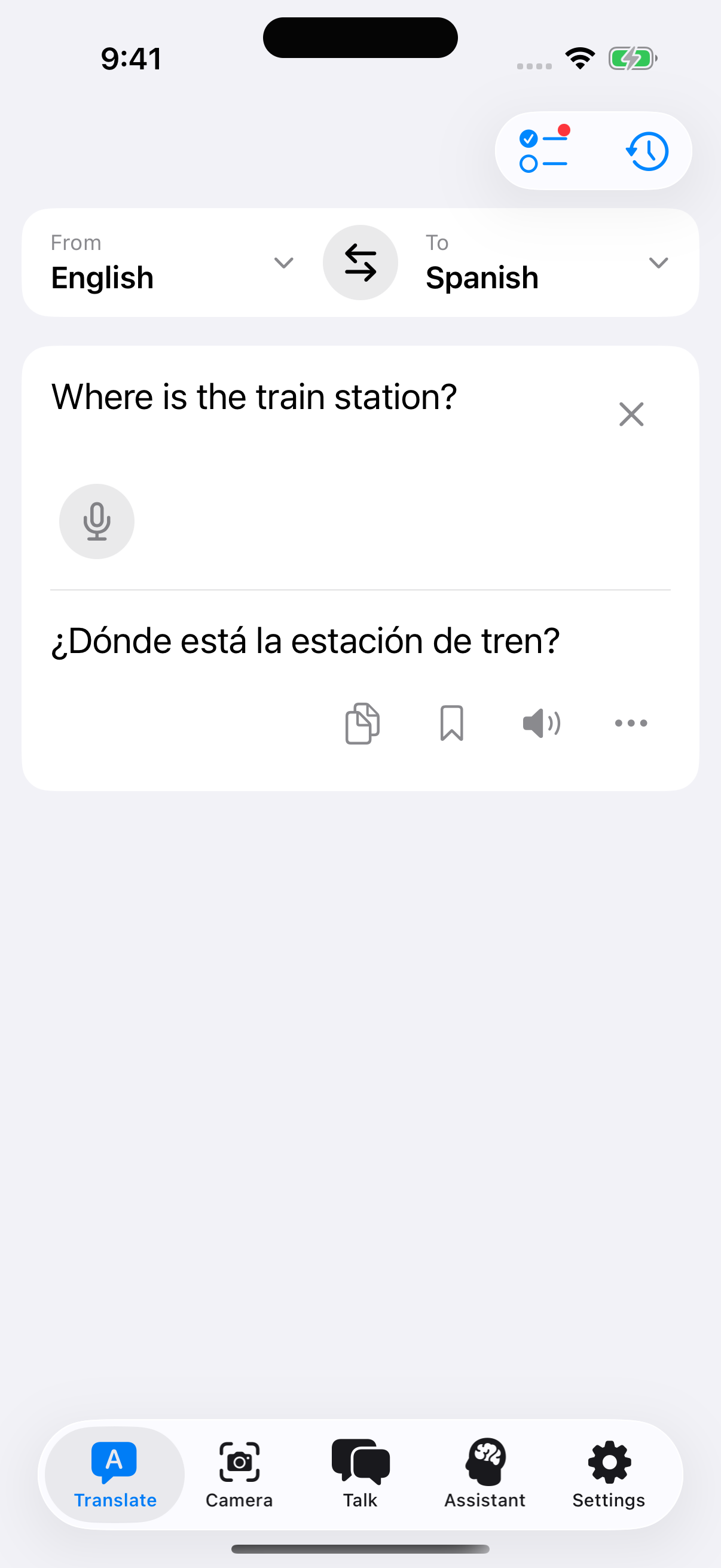
Offlinguo translating a question about the train station into Spanish

Keep the next step simple

Type or paste a short message, choose your languages and translate on your iPhone. Show the result to someone or copy it into a message. Translation uses the downloaded model, so the words you need do not depend on finding a connection.

Make a phrasebook for your trip

Save the translations you expect to use again: a question about your hotel, a coffee order or a polite thank-you. Your phrasebook and recent translations stay in the app, ready to revisit. Save the translation before you leave instead of trying to remember how you asked yesterday.

Give yourself more ways to explore

Premium adds Camera for printed menus and signs, microphone input for words you would rather say, Talk for taking turns in two languages, and Assistant for help with phrases. Each feature shows its own language availability in the app.
A little preparation

Before your phone goes offline

  1. Download while connected

    Open Offlinguo and complete the free translator setup. The model is approximately 2.2 GB, so leave enough storage and time for download and verification. Review the model terms shown in the app before starting.

  2. Prepare your languages

    Choose the source and destination languages you need. If you plan to use Premium voice features, prepare speech recognition and voice resources too. Talk needs compatible resources for both people on a supported iPhone.

  3. Try a short exchange

    Turn off your connection and translate a simple phrase. Try the Camera or Talk flow you plan to use. Check the result before your trip, and save useful translations in your phrasebook.

A few things to know

Does every feature support the same languages?
No. Text, Camera and speech coverage differ, and some typed languages are experimental. Check the selected language pair in each feature. The in-app availability and readiness checks are the most useful guide for your device.
Do I need to subscribe before I can translate?
No subscription is needed for typed translation after the free download. Premium unlocks Camera, microphone input, Talk and Assistant. Buying or restoring Premium needs access to the App Store.
Can I rely on it for an important instruction?
Machine translations can be wrong. Confirm important details with a person who understands both languages, especially for medical, legal or safety-critical situations.