
Offlinguo
Offlinguo

Camera translation · Premium

Read the menu. Try something new.

The little café with no English menu. The sign pointing somewhere interesting. Bring the printed words into Offlinguo, see them in your language and decide what to discover next.

Included in Premium. Offline setup and supported printed text and languages are required.

Explore
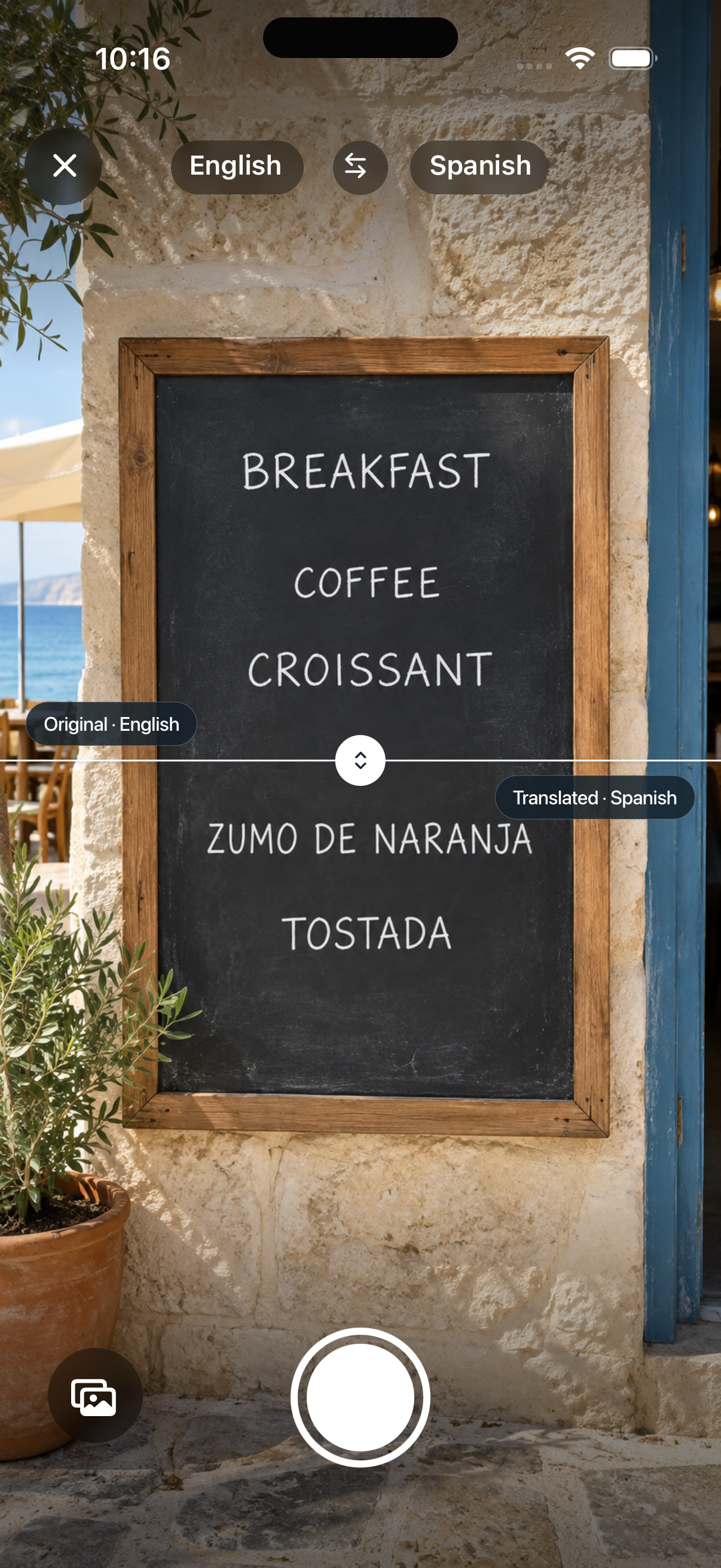
Offlinguo camera controls with an illustrative English and Spanish breakfast-menu comparison

Let curiosity choose lunch

A menu does not have to send you back to the same familiar order. Capture the printed text, translate it and get a better idea of what you are looking at. Use the result to start a question with your server when a dish still needs explaining.

Read a sign. Find your next stop

A ticket-machine instruction, an opening-hours notice or a sign at the station: small bits of text can make a big difference to a day out. Camera translation gives you another way to understand the words around you without typing them all.

Already have the photo?

Choose a photo from your library to translate supported printed text. Keep the text well lit, sharp and reasonably straight. A smaller, readable section is a better starting point than a distant photograph of an entire board.

A little preparation

From printed text to your language

  1. Get ready once

    Complete the translator download while connected and unlock Premium. Check that Camera supports the language pair you need.

  2. Capture or choose a photo

    Open Camera, allow camera access when asked and frame the printed text. You can also choose a photo you already have.

  3. Read and check

    Review the translation. If words are unclear, try a sharper image or a smaller section. Ask a person to confirm anything important.

A few things to know

Does photo translation need internet?
Text recognition and translation happen on your device after setup. The initial model download and purchase require a connection; a supported photo or camera translation does not.
Will it translate handwriting or every menu?
Camera is intended for supported printed text. Decorative lettering, handwriting, glare and blurred photos can reduce recognition quality. Language support is narrower than typed translation.
Can it check food allergies?
Do not rely on a camera translation to confirm allergens or dietary safety. Ask the restaurant directly and have important information verified by someone who understands the language.